 MEVORIX
Every repair, one clear record.
Keep reception details, diagnosis, estimates and work history together.
Workshop Management & Diagnostics
Estimates, parts, your team and customer updates. One workspace built for garden, forestry and small agricultural machinery workshops.
From the front desk to the workbench. On desktop, tablet and phone.
Built around the repair
Keep the next action visible, the customer informed and the work documented.
Keep reception details, diagnosis, estimates and work history together.
Follow inventory, reservations and parts consumed on approved repairs.
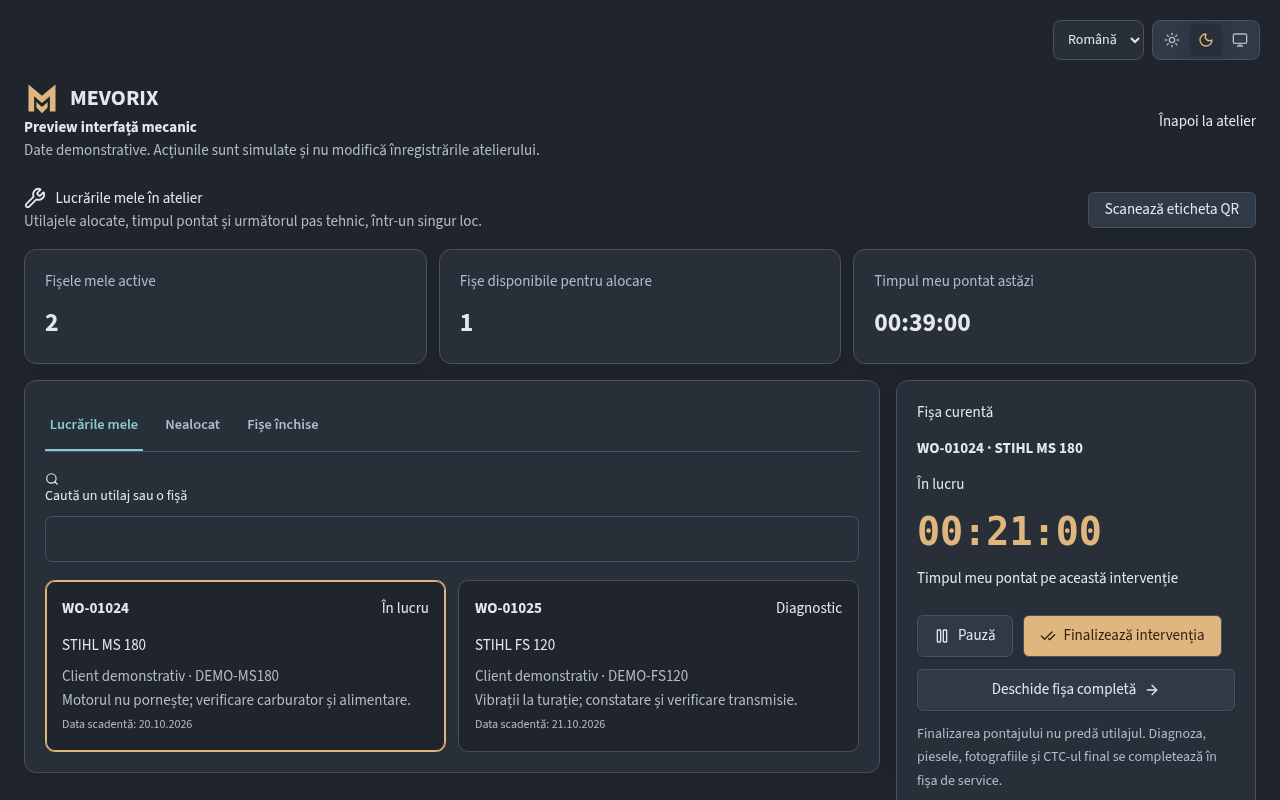
Assign work, track time and complete inspection checklists from the workshop floor.
Share the estimate link so customers can review it and follow repair progress.
Keep repair evidence, handover documents and intervention warranty details together.
MIN supports diagnosis with documented cases and evidence, without automatically confirming a fault.
A connected workflow
One service record follows the machine through the workshop.
One repair. Three perspectives.
Owners manage the workshop. Mechanics focus on their work. Customers follow their own repair.
See the mechanic workspace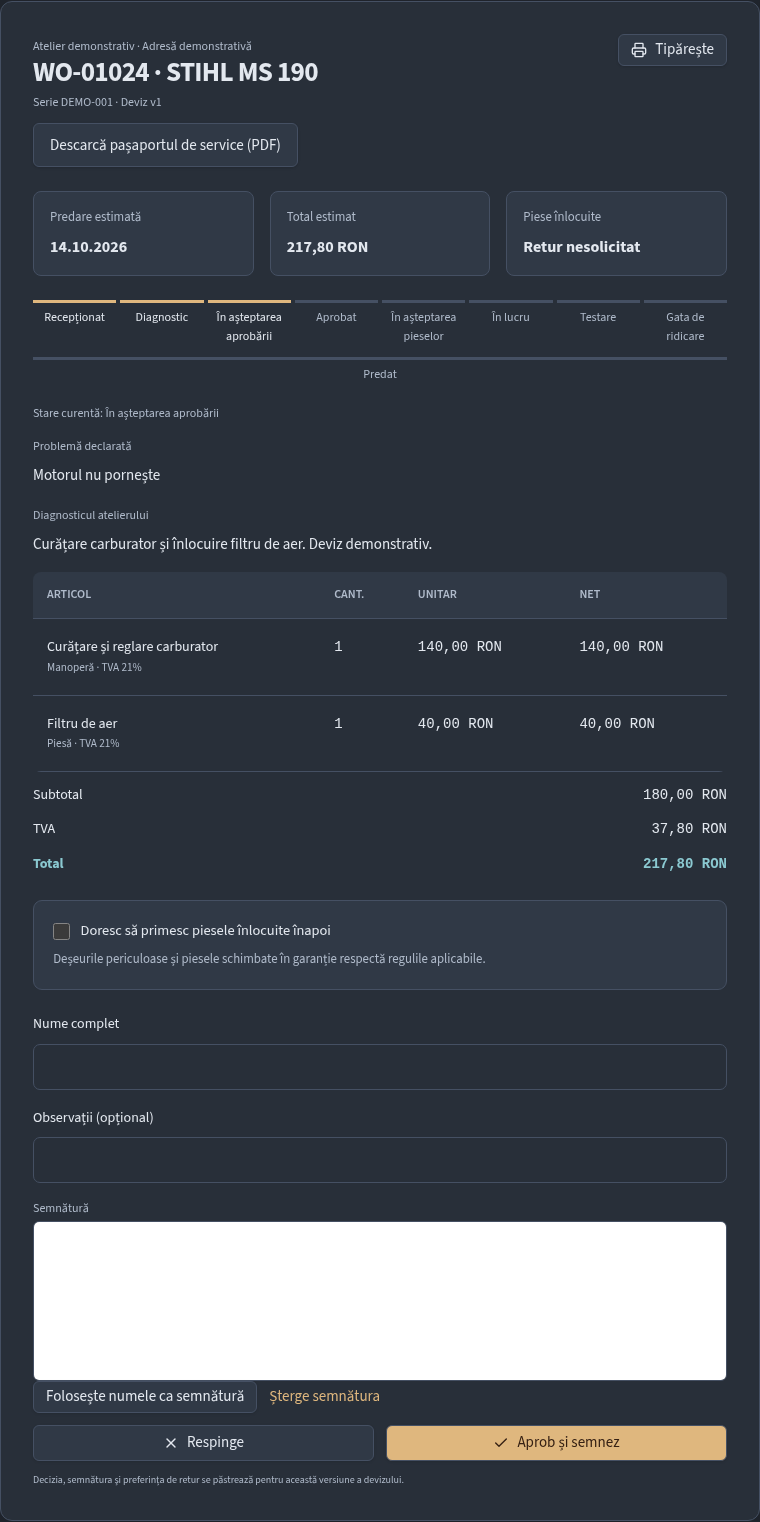
Control staff access, packages, repair activity and financial records.
Find assigned work, record tests, track time and complete the final inspection.
Open a private link to review the estimate and see repair progress.
Room to grow
Choose a package, then configure the available options.
Loading prices…
Before you start
Yes. Solo keeps the daily workspace simple. Add available options when your workshop needs them.
Yes. The web application works on desktop, tablet and phone. Camera access needs HTTPS and permission from your browser.
No. Customers open their private estimate link. Staff access and the customer portal are separate.
Automatic WhatsApp messages and online payments require configured providers. They are not promised as active here. Link sharing and the available workshop flows can be explored in the application.
No. It presents documented information and missing evidence. The mechanic remains responsible for tests and confirming the diagnosis.
Open the application, sign in or create a workshop account. Available access depends on your package and the workshop configuration.
MEVORIX
Explore the demonstration or open your workshop workspace.